

Downloading e-books from EBSCOhost
General instructions
Thorium Reader has replaced Adobe Digital Editions (ADE) for EBSCOhost eBooks as ADE is no longer supported. Thorium Reader is currently only available for MS Windows or Apple desktops/laptops, but work is progressing to create an app for iOS and Android.
A short video tutorial is available from EBSCOhost.
Please watch the second video “Downloading EBSCO eBooks using a Passphrase and Thorium Reader” as the first video “Downloading EBSCO eBooks – Tutorial" features Adobe Digital Additions.
There is also further guidance with images in LibAnswers.
Software required:
Before you download from EBSCOhost, please ensure that you have:
- Created your MyEBSCOhost account.
- Installed and authorised the relevant software - different software is required for PCs, laptops / iOS /Android devices.
The new Thorium Reader replaces Adobe Digital Editions (ADE) for EBSCOhost eBooks. It is currently only available for MS Windows, MacOS or Linux desktops/laptops but is not
compatible with the Chrome browser. Work is progressing to make this available for iOS and Android mobile devices.
Chapter Downloading:
Log into EBSCO eBook Collection.
Search for your title and click either the Download button or the icon on the Details.
Select the Chapter button and choose the desired chapter to download from the drop-down menu.
Instructions for downloading
Please sign in or register for an account with EBSCOhost to access the ability to download and
install Thorium Reader. Thorium Reader can be installed from your preferred app store or by
visiting the Thorium Reader website.
Please remember not to try to download eBooks to the public computers. For further guidance
on installing Thorium Reader, please see LibAnswers.
When you are ready, click your chosen eBook title to view more information about the book. This automatically displays when accessing directly from the catalogue.
The first time you do this in Thorium Reader you will be asked for a passphrase. Click the 'Download' button then click 'Full eBook' and select the number of days you wish to borrow the eBook for. Finally, select whether you would like to borrow the PDF or EPUB version of the eBook.
You will now be given your encrypted passphrase. Click the Copy button to copy this to your
clipboard and click the Download button.
In Thorium, click the Import publication to import the eBook file into the application.
Navigate to the Download functionality in your device, select the eBook file and click Open. The eBook will be displayed in your library in the app. Click on the cover to open it.
The first time you open an eBook in Thorium you will be asked for the passphrase you copied. Paste it into the field and click Open. You will now be able to read your eBook.
You can re-generate a new passphrase in the Reader if required. Thorium reader will remember your passphrase on the device on which the eBook is downloaded, so you will not need to re-enter it each time you open the Reader app on that device. The passphrase can be used to access the title on up to 6 devices simultaneously (but not mobile devices).
Some eBooks are available without DRM (Digital Rights Management) restrictions. These titles will not require you to sign into MyEBSCO to download them. In addition, Thorium Reader is not necessary to read them.
Note: The above notes are for downloading to your personal laptop only; please do not attempt to download to a public computer. Currently Thorium Reader is not compatible with Chrome, or mobile devices.
Download limits
In most cases where download is available, you can download the whole book.
You are limited to 3 EBSCOhost downloads at any one time
If you download the whole book, the download period available will feature in the drop down options that you are given. This will depend upon the e-book licence associated with the book. This information is provided in the concurrent user level field, which is immediately above the table of contents in the detailed record page:
Credit based licence: 3 days

3 user licence: 3 days

1 user licence: Download is not available
Some EBSCOhost books are only available for a 1 hour download
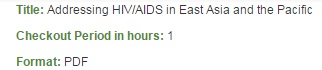
Some EBSCOhost e-books are not available for download
This is generally signified within the ‘Permissions’ field in the detailed record page:

However, on some ‘limited user access’ titles, you only become aware of this at the moment you try and download
